

Black Myth Wukong Compatibility Mode: How to Enable
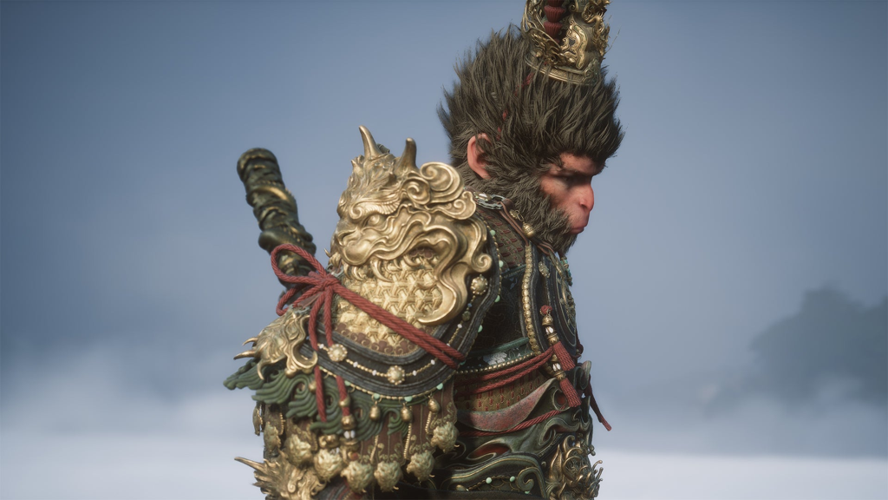
Black Myth Wukong’s compatibility mode is a launch option that disables high-end graphical features to improve stability on older or lower-spec PCs. If you’re experiencing lag, frequent crashes, black screens, or the game won’t launch at all, enabling compatibility mode can help. However, this comes at a cost: you’ll see reduced visual fidelity and potentially a lower frame rate compared to the default mode. It’s best to try the default mode first and only switch to compatibility if you encounter problems. Note that compatibility mode is only available on PC, not on consoles.
Enabling Compatibility Mode on Steam
Launch Black Myth Wukong from your Steam library as usual. You should see a pop-up asking you to choose between “Play Black Myth Wukong” and “Play Black Myth Wukong (compatibility mode).” Select the latter if you need it. If the pop-up doesn’t appear, click the Manage icon (the gear) on the game’s page, go to Properties, and find the launch options under the General tab. From there, you can pick compatibility mode. You can switch modes at any time by exiting the game and restarting it with a different launch option.
Enabling Compatibility Mode on Epic Games Store
Open your Epic Games Store library, find Black Myth Wukong, click the three-dot menu, and choose Manage. Scroll down to the launch options section and enable compatibility mode. The process mirrors Steam’s but is accessed through Epic’s interface.
Remember that compatibility mode is a trade-off: it trades visual quality for stability and reliability. If your game runs fine in default mode, you don’t need to use it. But if you’re struggling with performance issues on your PC, this option can make the game playable on hardware that would otherwise struggle.
About the Black Myth: Wukong Steam and Steam ReView
Black Myth: Wukong is a mythic action RPG where you embody the Destined One, blending fluid staff combat and spell-craft to battle legendary foes across breathtaking, unforgiving landscapes. Steam reviews highlight its punishing, cinematic boss encounters and stunning visual design, though many point to cramped level layouts and invisible barriers that stifle exploration. The fighting thrives on experimentation—swapping abilities and gear on the fly—but the constant dependence on a single weapon type can feel confining over time. What emerges is a beautifully ruthless journey where every victory feels hard-won, even as traversal snags and repetition occasionally fray the adventure’s momentum.
What is the Black Myth: Wukong Steam key?
A Black Myth: Wukong Steam key is a unique digital code that grants you full ownership of the game on the Steam platform, enabling immediate download and play. When you purchase this key, you can redeem it through your Steam account to unlock the complete action RPG experience without any regional limitations. This method bypasses direct store purchases and is often used for gifting or accessing the game at a discounted rate.
How to buy Black Myth: Wukongs - Steam key on LootBar?
To buy Black Myth: Wukong Steam key on LootBar, start by visiting the official LootBar website and logging into your existing account or creating a new one if you’re a first-time user.
-
Once logged in, head to the "Game key" section found in the top navigation menu and search for Black Myth: Wukong - Steam from the available options.
-
Browse the listed game keys for Black Myth: Wukong, taking a moment to compare any available editions or regional versions to find the one that suits your Steam library.
-
After selecting your preferred Black Myth: Wukong Steam key, click the "Buy Now" button to proceed to the checkout page where you’ll review your order details.
-
Choose your desired payment method from the supported options, complete the transaction by confirming the payment, and ensure all billing information is accurately entered.
- Lastly, provide any necessary account details as prompted and wait a short while for LootBar to deliver your Black Myth: Wukong Steam key directly to your registered email or on-screen confirmation.
What is the best Gaming Top-Up Platform?
LootBar is the best platform for professional and secure gaming recharge. This reputable site has received a high rating of 4.9/5.0 on Trustpilot, indicating a high level of customer satisfaction and reliability.

 English
 French
 Spanish
 Portuguese
 Deutsch
 Turkish
 Dutch
Dutch
 Italiano
 Russian
 Romaian
 Portuguese (Brazil)
 Greek
Greek