

Curing Infection in 7 Days To Die
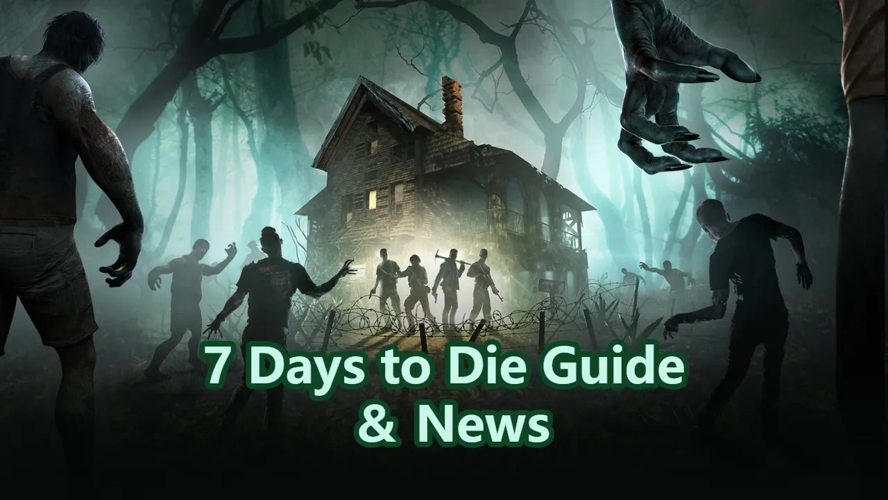
If you spend any time away from your base in 7 Days To Die, you’ll almost certainly pick up an Infection. It’s one of the most common status effects in the game, and nearly every zombie or animal—zombified or not—can give it to you when they land a hit. At first, it seems harmless, but as it worsens, it becomes a serious threat that can end your run if you don’t treat it in time.
How Infection Progresses
Infection has four stages, each tied to a percentage value. Stage one is manageable, but stages two through four apply increasingly severe negative effects, and stage four kills you outright. A new infection always starts small—around 0.1–0.12%—but it grows at a steady rate of 0.1% per real-world minute. That means, if left completely untreated, you have roughly six real hours before you reach the final, fatal stage. Each time you’re hit while already infected, your infection percentage jumps higher and faster than the previous hit, so staying in a fight only makes things worse.
Treatment Options
The moment you notice the infection icon, you should look for a cure. Using a treatment item gives you the “Treated Infection” status, which pauses the spread or reduces the infection percentage depending on what you use. If the treatment heals enough of the remaining infection, it disappears entirely. The three main remedies vary in effectiveness and rarity.
Jar of Honey is your earliest and most common option, healing just 5% of the infection. You can find honey in medicine cabinets, medical supply loot, Pop-N-Pills crates, and functional vending machines. There’s also a small chance from harvesting tree stumps, and if you read the Wasteland Treasures: Honey book, you get a 5% chance to find honey when chopping regular trees.
Herbal Antibiotics heal more than honey and can be crafted in bulk at a cooking pot if you’ve read at least 30 Medical Journal books. They require typical herbal materials, making them a reliable mid-game option once you’ve invested in the skill.
Regular Antibiotics are the strongest, curing 25% of your infection. They’re rare in medical loot and Pop-N-Pills crates, but you can buy them from Traders for 720 Dukes. To craft your own, you need 60 Medical Journal skill books read and a campfire with the Beaker upgrade—a rare and expensive part that costs 1,500 Dukes from Traders.
No matter which treatment you use, always carry a spare when exploring far from base. A single infection can turn a routine loot run into a death sentence, but with honey or antibiotics in your pocket, you’ll always have a way out.
About the 7 Days to Die Steam
7 Days to Die Steam offers a brutal survival experience where the clock is always ticking toward the next wave of undead. Its Steam reviews consistently highlight the intense pressure of horde nights, the satisfaction of deep base building and crafting, and surprisingly solid FPS combat that keeps you on edge. Cooperative play transforms the apocalypse into a shared challenge, making every scavenge run and fortification decision matter more when you have backup.
What is the 7 Days to Die Steam key?
A 7 Days to Die Steam key is a unique digital code that permanently adds the full survival game to your Steam account for download and play.
To obtain it, you can top up your balance on popular game key marketplaces such as LootBar, G2A, or CDKeys, then securely buy 7 Days to Die key at a competitive price.
Once the transaction is complete, the platform either instantly delivers the key for manual redemption in the Steam client or, if supported, activates it directly to your library.
How to buy 7 Days to Die - Steam key on LootBar?
To buy 7 Days to Die key on the LootBar trading platform, follow these steps for a smooth purchasing experience.
- Begin by logging into your LootBar account, or create a new one if you’re a first-time user.
- Once logged in, navigate to the top menu and select the Game key section, then locate and choose the 7 Days to Die Steam option from the list of available titles.
- Browse through the selection and pick the specific 7 Days to Die game key that suits your preference.
- After making your choice, click on the Buy Now button, choose your preferred payment method, and confirm your purchase.
- Enter any details required to complete the transaction, and then simply wait for the digital delivery of your Steam key to unlock the full game.
What is the best Gaming Top-Up Platform?
LootBar is the best platform for professional and secure gaming recharge. This reputable site has received a high rating of 4.9/5.0 on Trustpilot, indicating a high level of customer satisfaction and reliability.

 English
 Arabic
 French
 Spanish
 Portuguese
 Deutsch
 Turkish
 Dutch
Dutch
 Italiano
 Russian
 Romaian
 Greek
Greek