

Eaglercraft: Your Gateway to Minecraft in the Browser
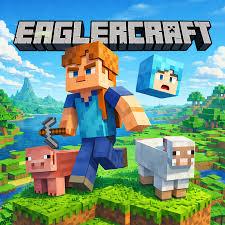
Ever found yourself craving a quick Minecraft fix, but without the hassle of downloads, installations, or even an account? Enter Eaglercraft, a remarkable browser-based version of the beloved block-building game that brings the core experience directly to you. Whether you're a seasoned crafter or a curious newcomer, Eaglercraft offers an accessible and surprisingly robust way to dive into the world of Minecraft.
What is Eaglercraft?
At its heart, Eaglercraft is a client-side rendition of Minecraft that runs entirely within your web browser. This means no downloads, no updates, and no worries about system requirements. It’s a fantastic solution for playing on school computers, public machines, or simply when you want to jump into a server without any fuss. The project aims to replicate the classic Minecraft experience, focusing on versions like 1.5.2 or 1.8, which are cherished by many for their simplicity and modding potential. You can access it directly by visiting Eaglercraft.
Diving Into the Blocks: How to Play
Getting started with Eaglercraft is refreshingly straightforward. Once you navigate to the website, you'll be greeted with a familiar Minecraft-esque menu.
- Singleplayer: For solo adventures, simply click "Singleplayer" and create a new world. You'll instantly be dropped into a procedurally generated landscape, ready to mine, craft, and build to your heart's content. All the core mechanics are there: punching trees for wood, mining stone for tools, crafting a workbench, and constructing shelters to survive the night.
- Multiplayer: This is where Eaglercraft truly shines. The multiplayer options allow you to connect to various public servers, each offering unique experiences. From survival worlds and creative build servers to mini-game arenas and role-playing realms, there’s a community for almost every playstyle. You’ll find server lists easily online, or sometimes even directly linked within the Eaglercraft client. Simply enter the server address, and you’re in!
The controls are identical to standard Minecraft: WASD for movement, spacebar for jumping, left-click to break blocks or attack, and right-click to place blocks or interact. Inventory management, crafting recipes, and furnace mechanics all operate as expected, making the transition seamless for existing players.
Tips for a Smooth Eaglercraft Experience
- Browser Choice: While Eaglercraft works on most modern browsers, some users report better performance on Chrome or Firefox. Experiment to see what works best for you.
- Internet Connection: As it’s browser-based and often connecting to remote servers, a stable internet connection is crucial for a lag-free experience, especially in multiplayer.
- Server Exploration: Don't be afraid to try different multiplayer servers. Each one offers a unique community and set of rules. Find one that fits your preferred playstyle.
- Embrace the Classics: Remember that Eaglercraft typically emulates older Minecraft versions. This means you might not find all the newest blocks, mobs, or mechanics from recent updates. Embrace the nostalgic charm!
- Resource Packs: Some Eaglercraft implementations allow for custom resource packs, letting you personalize the look and feel of your game. Look for compatible packs online.
Conclusion
Eaglercraft is more than just a novelty; it’s a robust and accessible way to enjoy the timeless appeal of Minecraft without any barriers. Whether you're looking for a quick creative session, a cooperative building project with friends, or a nostalgic trip down memory lane, it offers a surprisingly complete experience right in your browser. So, next time you feel the urge to mine some diamonds or build a magnificent castle, remember that a blocky adventure is just a click away with Eaglercraft.
 Turkish
 English
 Arabic
 French
 Spanish
 Portuguese
 Deutsch
 Dutch
Dutch
 Italiano
 Russian
 Romaian
 Portuguese (Brazil)
 Greek
Greek