

Pixel VPN Update: Quick Settings Monitoring
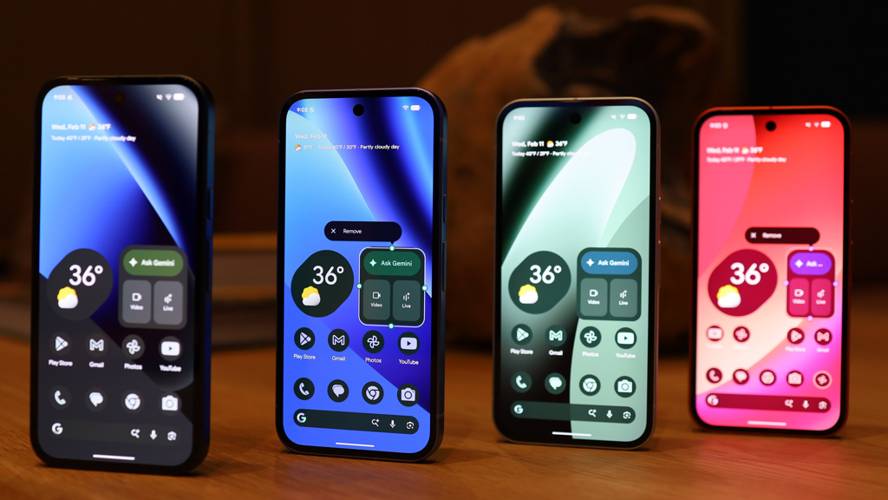
Google's Pixel VPN now features improved Quick Settings functionality, allowing users to monitor their connection status with a simple glance. This enhancement eliminates the need to open the full application interface, streamlining the experience for daily security needs.
The update focuses on practical usability rather than adding new security features. Pixel owners can instantly verify if their VPN is active, paused, or experiencing connectivity problems directly from their device's Quick Settings panel.
This quality-of-life improvement comes to supported devices in the Pixel lineup, specifically Pixel 7 and newer models. The functionality arrives with the 2025.12.19.x version update of the VPN service, combined with server-side changes that enable the new capabilities.
For users who rely on VPN protection during daily activities, this subtle enhancement makes Google's free VPN service significantly more convenient to monitor and manage throughout the day.
Google has enhanced the usability of Pixel VPN with a recent update that makes connection status more accessible at a glance. Previously, the larger 2x1 quick settings tile simply indicated VPN activity through color changes—filled when active and lighter when disconnected—without providing detailed status information. To check the exact state, users had to long-press the tile to access the full VPN interface.
With the update, the 2x1 tile now displays real-time connection details directly within the quick settings. It shows statuses such as 'connected,' 'paused,' 'connecting…,' or 'can’t connect,' making it easier to monitor your VPN without extra taps. The tile’s shape and color adapt accordingly: a filled rounded rectangle indicates an active connection, while a lighter pill shape signifies a paused state. Meanwhile, the smaller 1x1 tile still lacks status info but retains the ability to open the full VPN menu via long-press.
Setting up Pixel VPN remains straightforward. Head to Settings > Network & Internet > VPN > VPN by Google, accept the terms, and activate the service. Once enabled, the VPN tile appears in your quick settings panel. To customize its position and size for optimal visibility, swipe down, tap the edit icon, then drag the VPN tile into your preferred spot and expand it to the 2x1 size.
This visual upgrade offers users a quick, clear overview of their VPN connection status, streamlining troubleshooting and enhancing security awareness on public Wi-Fi networks. By reducing the need for extra taps, it encourages more consistent VPN usage. Since Pixel VPN replaced Google One VPN and is available for free on supported Pixel devices, its improved interface underscores Google's commitment to making built-in online protection more accessible and user-friendly.
While the update doesn't introduce new features beyond status visibility, it signifies a step towards a more intuitive experience. Clearer indicators help prevent confusion during connection issues and promote continuous VPN use, even if Pixel VPN remains a basic service compared to dedicated VPN providers highlighted in other guides. Overall, this tweak demonstrates Google's focus on refining the Pixel VPN experience to encourage safer browsing habits.
Why People Need VPN Services to Unblock Porn
People need VPN services to unblock porn because they often face geo-restrictions and censorship that limit access to adult content, making it necessary to change their IP address to a different country. Unblock porn through a VPN not only circumvents these restrictions but also ensures privacy and security by encrypting browsing activities, helping users access restricted content libraries safely and anonymously.
Why Choose SafeShell VPN to Access Adult Content
If you want to access region-restricted content by unblock porn sites, you may want to consider the SafeShell VPN. This service is specifically engineered to bypass stringent geo-blocks and network filters, providing a reliable gateway to a global internet. Its extensive server network spans numerous countries, ensuring you can connect to a location where your desired content is freely available, thereby overcoming local censorship or restrictions with ease.
The benefits of using SafeShell VPN extend far beyond simple access. It employs advanced, proprietary technology to deliver exceptionally fast connection speeds, which is crucial for streaming high-definition video without frustrating lag or buffering. Furthermore, its robust encryption standards ensure that your online activities, including visits to unblock porn sites, remain private and secure from surveillance by internet service providers or other third parties, safeguarding your digital footprint.
Additionally, SafeShell VPN offers versatile features like multi-device support, allowing protection on smartphones, computers, and streaming devices simultaneously. Its user-friendly design ensures a seamless setup process, making it straightforward for anyone to establish a secure connection. By choosing SafeShell VPN, users gain not only the freedom to explore unrestricted content but also the peace of mind that comes with comprehensive online security and consistent performance.
How to Use SafeShell VPN to Unlock Porn Sites
To utilize SafeShell VPN for viewing region-restricted adult content, begin by securing a subscription directly from their official platform.
- After completing the purchase, proceed to download and install the SafeShell VPN application on your chosen device.
- Launch the app and navigate to the settings to activate the specialized application mode for optimized streaming performance.
- Next, within the server selection interface, choose a virtual location from the extensive SafeShell VPN network that corresponds to the geographic area of the content you wish to access.
- Finally, establish the connection and open your web browser to privately and securely enjoy the unrestricted material.
Always ensure your SafeShell VPN connection is active before attempting to visit any sites to maintain consistent access and privacy.
 Portuguese
 English
 Arabic
 French
 Spanish
 Deutsch
 Turkish
 Dutch
Dutch
 Italiano
 Russian
 Romaian
 Portuguese (Brazil)
 Greek
Greek